Tips for Creating a Productive Home Office Environment
Creating a productive home office environment is essential for anyone working remotely or managing tasks from home. A well-designed space can improve focus, reduce distractions, and boost overall efficiency. Here are some helpful tips to transform your home office into a comfortable, motivating workspace.
Choose the Right Location
Finding the perfect spot for your home office is the first step. Ideally, pick a quiet area with minimal foot traffic to reduce interruptions. If possible, use a separate room rather than a corner of your living space. This separation helps mentally distinguish work time from personal time.
Consider Natural Light
Natural light can greatly enhance your mood and energy levels. Position your desk near a window to take advantage of daylight. If natural light is limited, invest in good quality artificial lighting that mimics daylight, as it will help reduce eye strain and keep you alert.
Invest in Ergonomic Furniture
Comfort is key to sustaining long work hours without fatigue or pain.
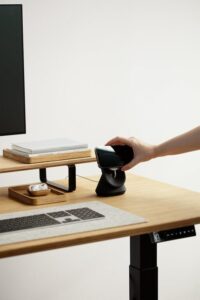
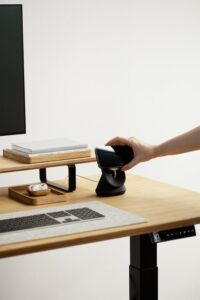
– Desk: Choose a desk with enough surface area to hold your computer, notebooks, and any other essential items without feeling cluttered.
– Chair: Invest in an ergonomic chair that supports your lower back and promotes good posture.
– Monitor Setup: Keep your computer screen at eye level to prevent neck strain. Use monitor stands or adjustable arms if needed.
Organize Your Workspace
A clutter-free workspace can clear your mind and improve productivity.
Use Storage Solutions
Shelves, filing cabinets, and desk organizers help keep documents and supplies tidy and easy to find.
Maintain Daily Order
Spend a few minutes each day tidying your desk. Putting away unnecessary items helps keep distractions at bay.
Establish Boundaries and Routine
Working from home demands discipline to separate work from personal life.
– Set Working Hours: Establish a consistent schedule that mirrors your usual office hours.
– Create Rituals: Begin your day with a routine, such as making a cup of coffee or reviewing your task list, to switch your mindset into work mode.
– Communicate Boundaries: Let family and friends know your work hours to minimize interruptions.
Minimize Distractions
Distractions can quickly reduce your focus and efficiency.
– Silence Notifications: Turn off non-essential phone and computer alerts.
– Sound Environment: Consider noise-canceling headphones or soft background music to improve concentration.
– Limit Social Media: Use apps or browser extensions to restrict access during work sessions.
Personalize Your Space
Adding personal touches can increase comfort and motivation.
– Decorate Thoughtfully: Use plants, artwork, or photos that inspire you but avoid overcrowding the space.
– Comfort Items: Keep a cozy blanket, a water bottle, or healthy snacks nearby to support wellbeing during the day.
Use Technology Wisely
Leverage technology to streamline your work and stay organized.
– Reliable Internet: Ensure your internet connection is stable and fast enough for video calls and file sharing.
– Productivity Tools: Use apps for time management, note-taking, and task tracking.
– Backup Systems: Regularly back up important files to avoid data loss.
Prioritize Health and Wellbeing
Your physical and mental health affect your work performance.
– Take Breaks: Follow the Pomodoro technique or similar methods to work in focused intervals with breaks in between.
– Move Regularly: Stretch or take quick walks to reduce stiffness and keep energy levels high.
– Maintain Good Posture: Be mindful of how you sit and adjust your setup accordingly.
Conclusion
By carefully considering your home office setup and habits, you can create a workspace that supports productivity and wellbeing. With the right environment and routines, working from home can be both effective and enjoyable. Try these tips to design a space that works best for your needs and helps you stay focused throughout the day.