Simple and Effective Tips for Organizing Your Home Workspace
Creating a well-organized home workspace can make a significant difference in how you work each day. A tidy, efficient environment helps minimize distractions, increase focus, and boost overall productivity. Whether you are new to working from home or looking to improve your current setup, these simple and effective tips can inspire a more organized and comfortable workspace.
Why Organizing Your Workspace Matters
Before diving into the tips, it’s important to understand why keeping your workspace organized is beneficial. A clutter-free desk promotes better concentration and creativity, reduces stress caused by mess, and allows you to find materials quickly. When your space is orderly, your mind can focus on the task at hand, leading to more efficient and pleasant work sessions.
Assess Your Current Workspace
Start by taking a good look at your current setup. What is working well? What feels cluttered or uncomfortable? Identifying problem areas helps you focus your organizing efforts where they are most needed.
Tips for Organizing Your Home Workspace
1. Declutter Regularly
One of the most effective ways to keep your workspace organized is to declutter regularly. Remove unnecessary items from your desk and drawers at the end of each day or week. Consider donating or recycling items you no longer use.
2. Use Smart Storage Solutions
Invest in storage options that suit your space and needs. Some ideas include:
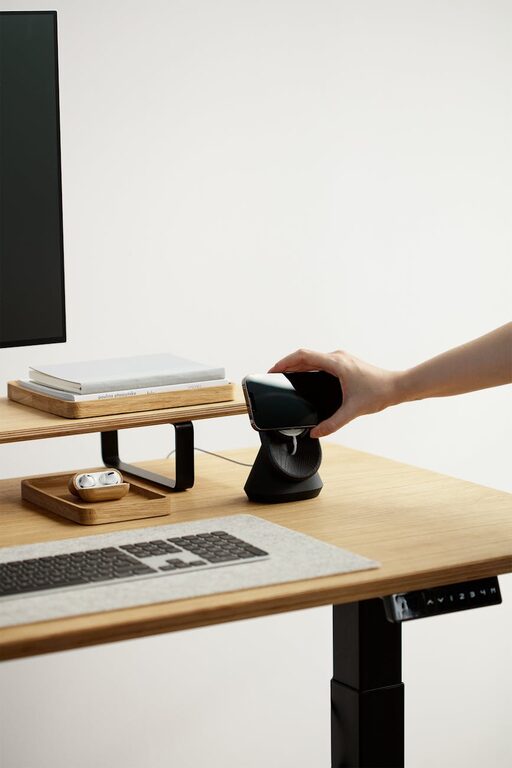
– Desk organizers: trays, pen holders, and small bins can keep everyday items in place.
– Shelves: use wall-mounted shelves to free up desk space.
– Filing cabinets or boxes: keep papers sorted and easy to find.
– Cable management: clips and sleeves prevent cables from tangling and cluttering your desk.
3. Designate Zones
Divide your workspace into zones for different activities. For example:
– Work zone: computer, keyboard, and primary tools.
– Reference zone: books, notes, and frequently used documents.
– Creative zone: space for brainstorming or personal projects.
Having separate zones helps keep things organized and your workflow smooth.
4. Optimize Lighting
Good lighting is essential for productivity and comfort. If possible, position your desk near a window to benefit from natural light. Supplement with adjustable desk lamps to reduce eye strain during darker hours.
5. Personalize Thoughtfully
Personal touches like photos, a plant, or a favorite mug can make your workspace welcoming without adding clutter. Choose a few meaningful items to create a motivating and pleasant environment.
6. Maintain a Clean Desk Policy
At the end of each day, spend a few minutes tidying your desk. Put away materials, throw away trash, and wipe surfaces. This habit sets a positive tone for the next workday.
7. Use Digital Tools to Reduce Paper
Whenever possible, go paperless or minimize physical documents. Use cloud storage, note-taking apps, and digital calendars to keep information organized and accessible without taking up physical space.
8. Invest in Ergonomic Furniture
While not purely an organizational tip, comfortable and functional furniture can help maintain an orderly workspace by reducing discomfort and encouraging good posture. Adjustable chairs and desks can improve your overall work experience.
Maintaining Organization Over Time
Consistency is the key to sustaining an organized workspace. Schedule weekly reviews to declutter and reorganize as needed. Adjust your space when you notice new challenges or as your work habits change. Remember, an organized workspace is a tool that supports your success — keep it tidy, functional, and inspiring.
—
Creating an organized home workspace doesn’t require expensive solutions or drastic changes. By adopting these manageable tips, you can transform your work area into a clean, efficient, and motivating place to get things done.