Tips for Creating a Cozy and Functional Home Workspace
Creating a workspace at home that balances comfort and functionality is essential for anyone looking to work efficiently while feeling relaxed. Whether you’re working from home full-time or need a dedicated spot for occasional tasks, a well-designed workspace can make a big difference. Here’s a guide to help you set up a cozy and practical home office.
Why a Cozy and Functional Workspace Matters
Your home workspace impacts how motivated and focused you feel throughout the day. A cluttered or uncomfortable area can lead to distractions and fatigue, while a thoughtfully designed space promotes creativity and well-being. Combining coziness with functionality ensures you enjoy spending time there without sacrificing productivity.
Choose the Right Location
Start by selecting a spot that fits your needs:
– Quiet and Private: Choose a location away from high-traffic areas and noise for better concentration.
– Natural Light: Position your desk near a window to benefit from natural light, which boosts mood and energy.
– Space Considerations: Ensure there’s enough room for essential equipment and storage without feeling cramped.
Invest in Comfortable Seating
Comfortable seating is key to maintaining good posture during work hours:
– Ergonomic Chair: An adjustable chair with lumbar support helps prevent back pain.
– Footrest: If your feet don’t touch the floor comfortably, a footrest can improve circulation.
– Cushions and Throws: Adding soft cushions or a cozy throw can enhance comfort and make the space inviting.
Optimize Desk Setup
A well-organized desk boosts efficiency:
– Size and Surface: Choose a desk with enough surface area for your computer, notebooks, and other tools.
– Storage Solutions: Use drawers, shelves, or organizers to keep your desk clutter-free.
– Monitor Position: Keep your computer screen at eye level to avoid neck strain.
Create a Calming Atmosphere
The ambiance of your workspace affects how relaxed and focused you feel:
– Color Scheme: Soft, neutral colors like beige, light gray, or pastel shades promote calmness.
– Plants: Adding greenery improves air quality and brings nature indoors.
– Lighting: Combine natural daylight with adjustable task lighting to reduce eye strain.
Personalize Your Space
Personal touches make your workspace more welcoming:
– Artwork and Photos: Display artwork or images that inspire you.
– Decor: Select items like candles, small sculptures, or meaningful objects that motivate you.
– Organizers: Choose stylish containers and holders that match your decor theme.
Manage Cables and Technology
Keep your workspace tidy and tech-friendly:
– Cable Management: Use clips, sleeves, or boxes to organize wires.
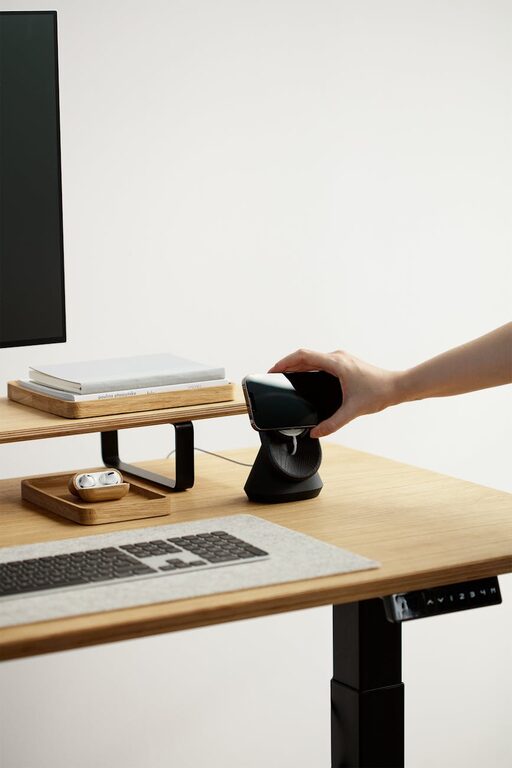
– Charging Station: Set up a dedicated area for charging devices.
– Tech Tools: Ensure a reliable internet connection, and consider noise-canceling headphones if needed.
Set Boundaries and Establish Routine
A functional workspace includes work habits:
– Defined Hours: Set specific working times to balance work and relaxation.
– Break Areas: If possible, separate your work area from spaces used for relaxing or eating.
– Daily Checklist: Plan tasks ahead to maintain focus and progress steadily.
Keep It Clean and Clutter-Free
Regular maintenance enhances the workspace environment:
– Daily Tidy-Up: Spend a few minutes each day organizing your desk.
– Declutter: Remove unnecessary items and papers routinely.
– Air Quality: Open windows when possible or use an air purifier to maintain fresh air.
Conclusion
Designing a cozy and functional home workspace doesn’t have to be complicated. With thoughtful choices around location, comfort, organization, and ambiance, you can create an environment that supports both your productivity and well-being. Start small by adjusting one or two elements and build from there as you find what works best for you. Happy working!